
Run your bookings on your terms
Online appointment scheduling for practices, salons, studios and every service business that runs on a calendar. A booking page under your brand, one calendar for the whole team, and your data on your own infrastructure.
Self hosted · No per booking fees · Cancel anytime
Be discovered on Local. Get booked with Bookings.
Every Bookings customer can have a free business profile on WebScheduler Local, with a link to their booking page. Booking straight from your Local profile is coming soon.
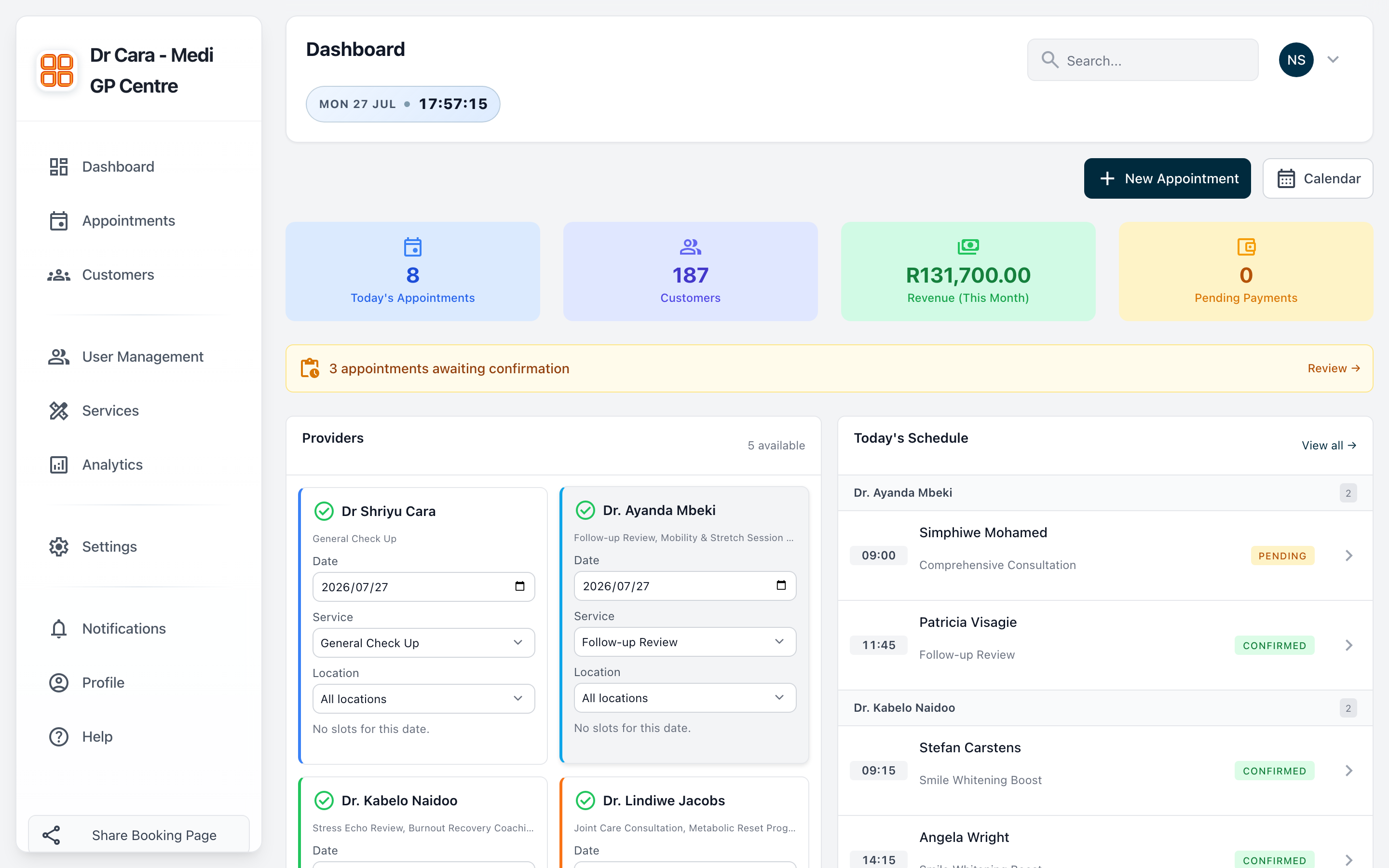
Your day at a glance
Today's appointments, this month's revenue, active providers and the day's schedule. The moment you log in.
- Live KPI tiles: appointments, customers, revenue, pending payments
- Today's schedule across every provider
- Appointments awaiting confirmation, one click away
A calendar built for teams
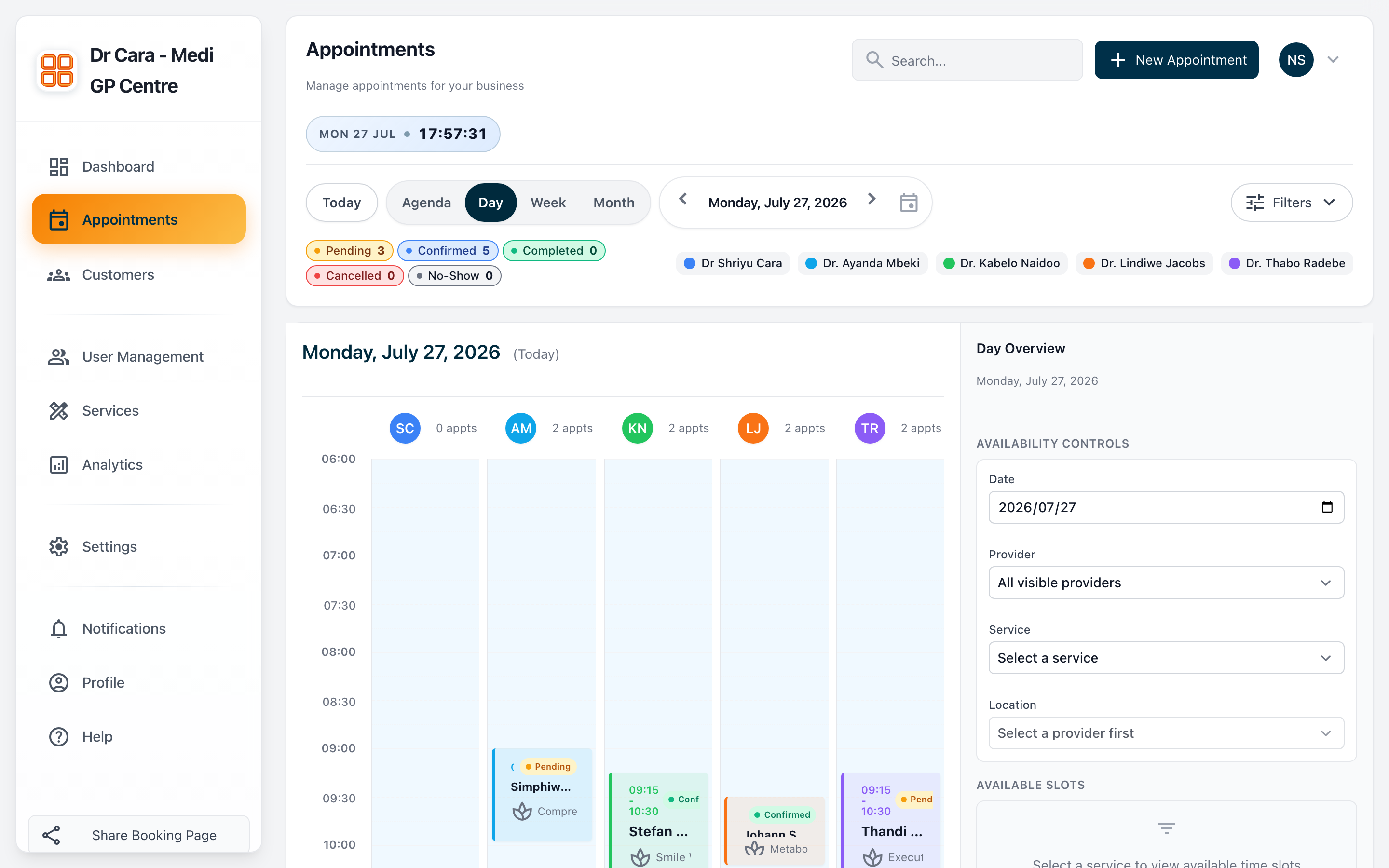
Every provider, side by side. Switch between day, week, month and agenda, filter by provider or service, and manage availability without leaving the page.
- Colour coded providers and statuses
- Availability controls and slot generation
- Pending / confirmed / completed at a glance
Your catalogue, your rules
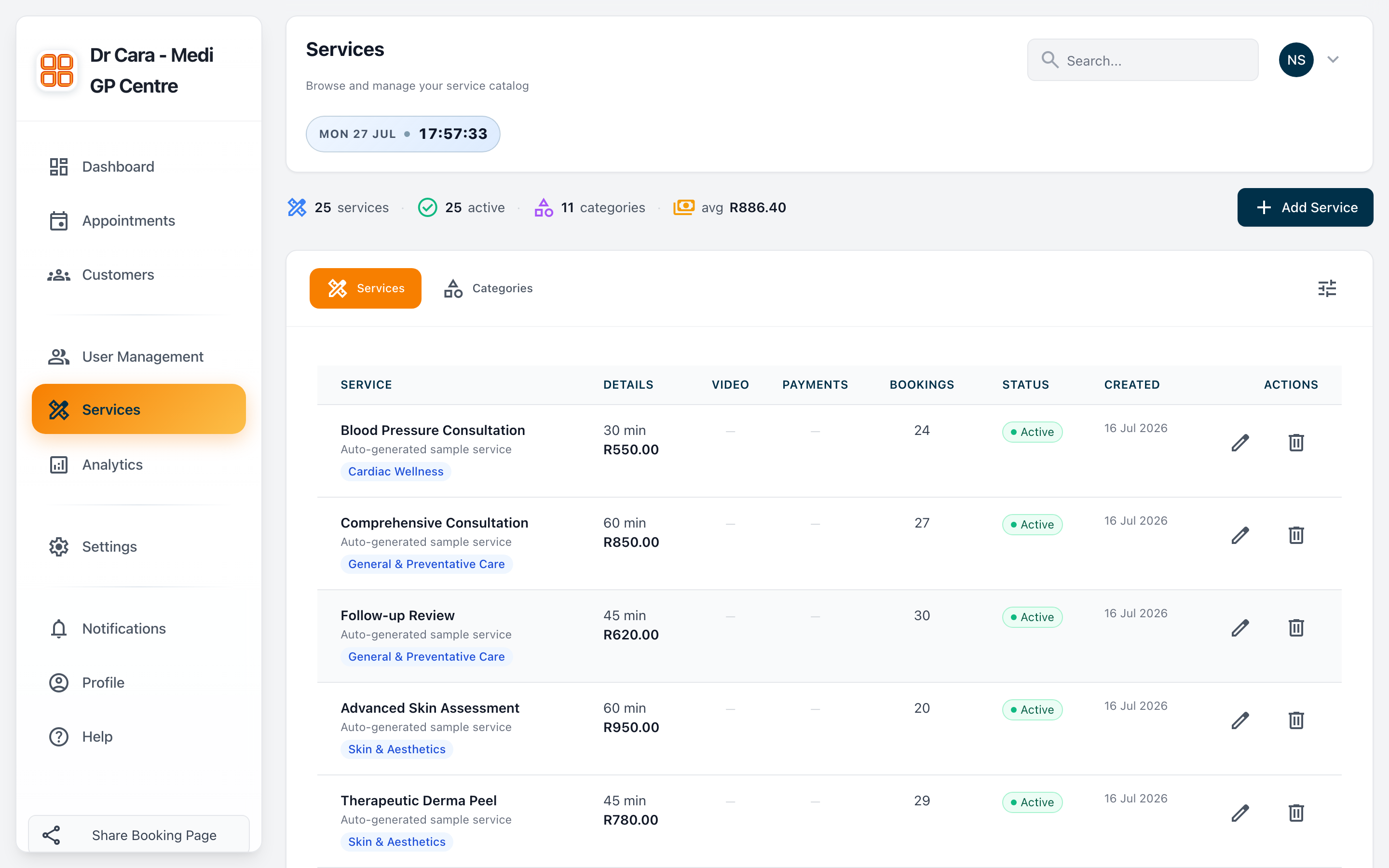
Define every service with its duration, price and category. Track bookings per service and keep everything organised.
- Duration, pricing and categories
- Bookings count per service
- Active / inactive status control
Every client, one place
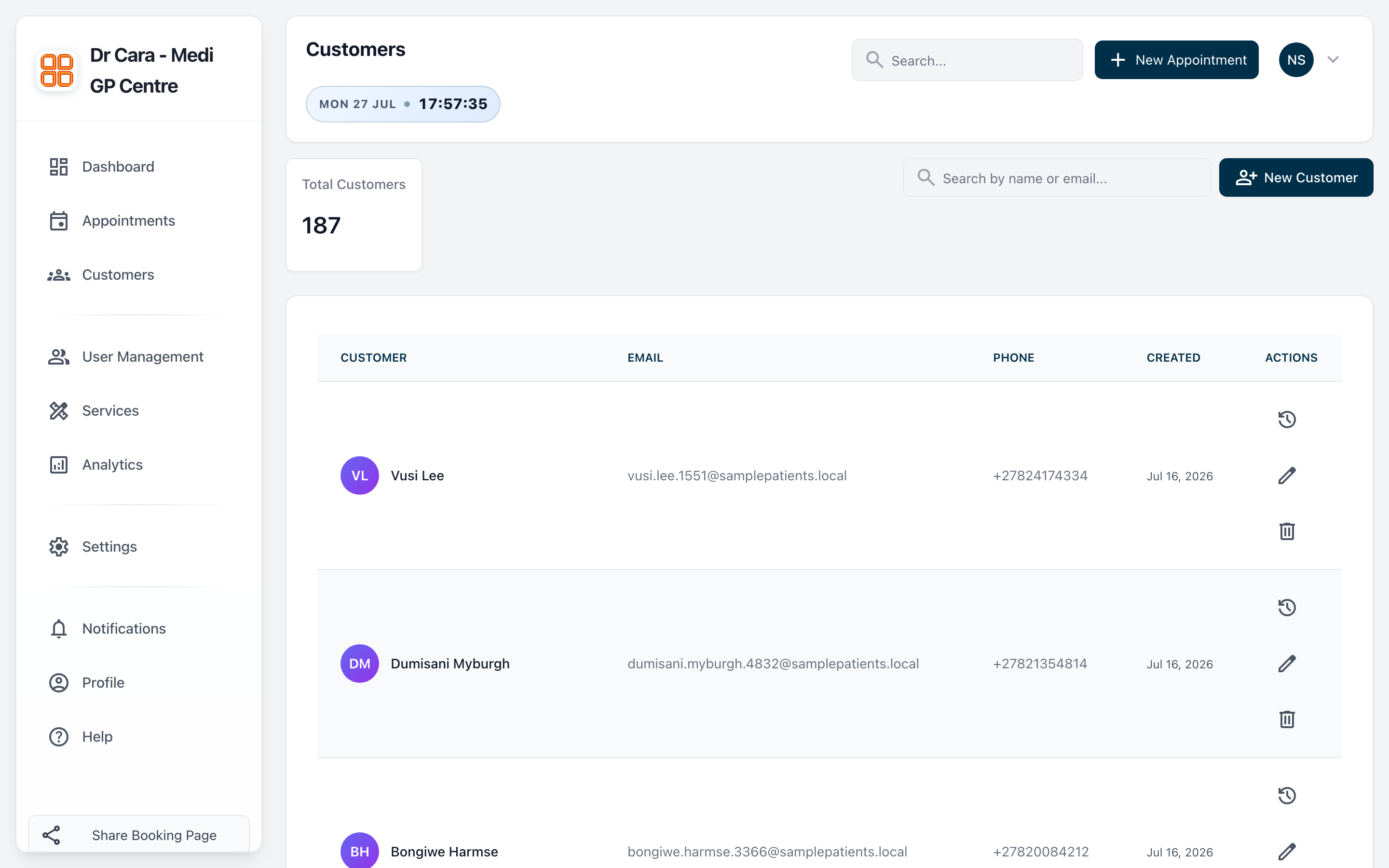
Find any customer by name or email, see contact details and history, and keep the whole team on the same page.
- Find any customer in seconds
- Contact details and appointment history
- Add and edit clients in seconds
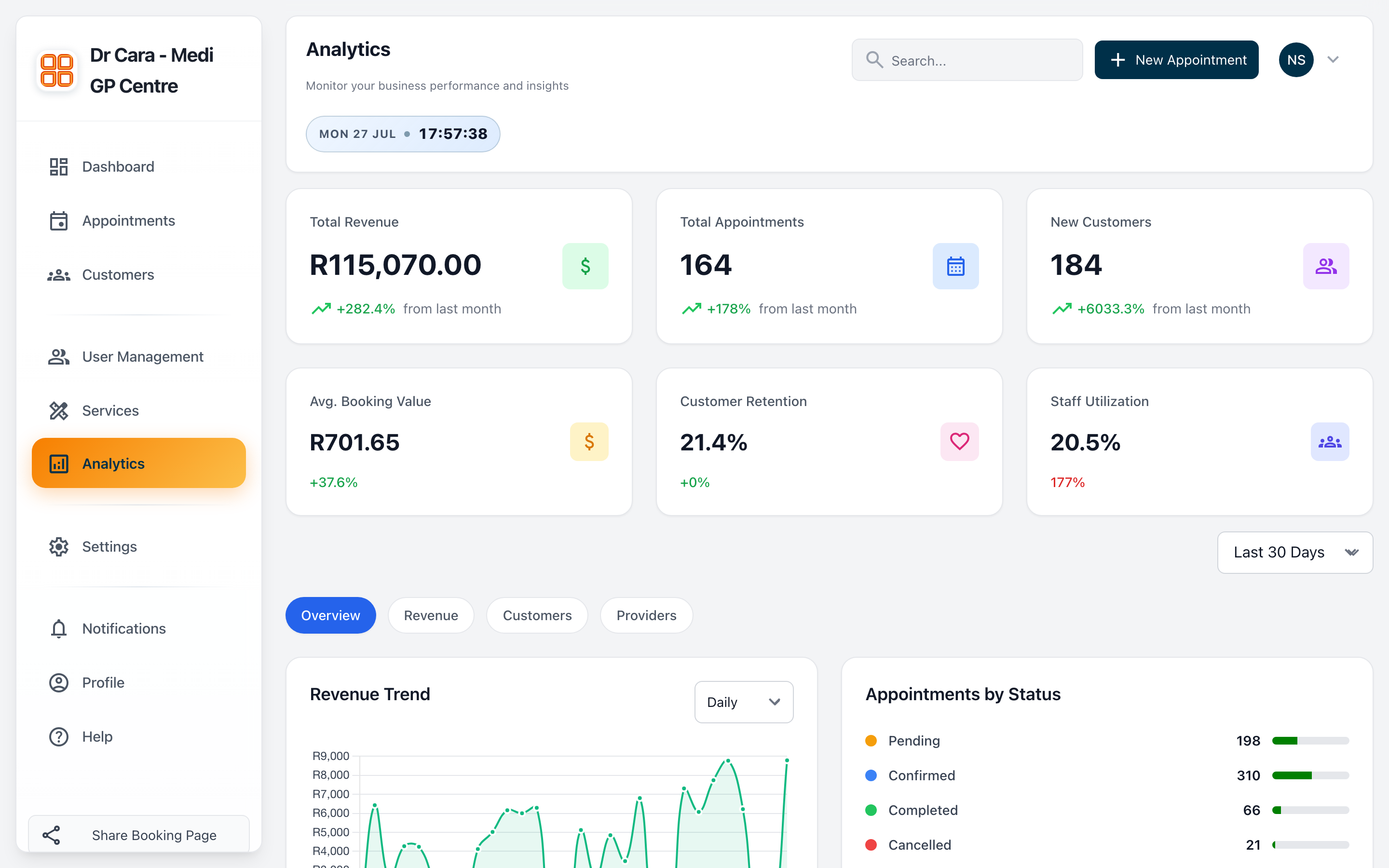
Decisions backed by data
Revenue, average booking value, retention and utilisation, with trend charts and a breakdown by status, provider and customer.
- Revenue trend over any period
- Appointments by status
- Revenue, customer and provider views
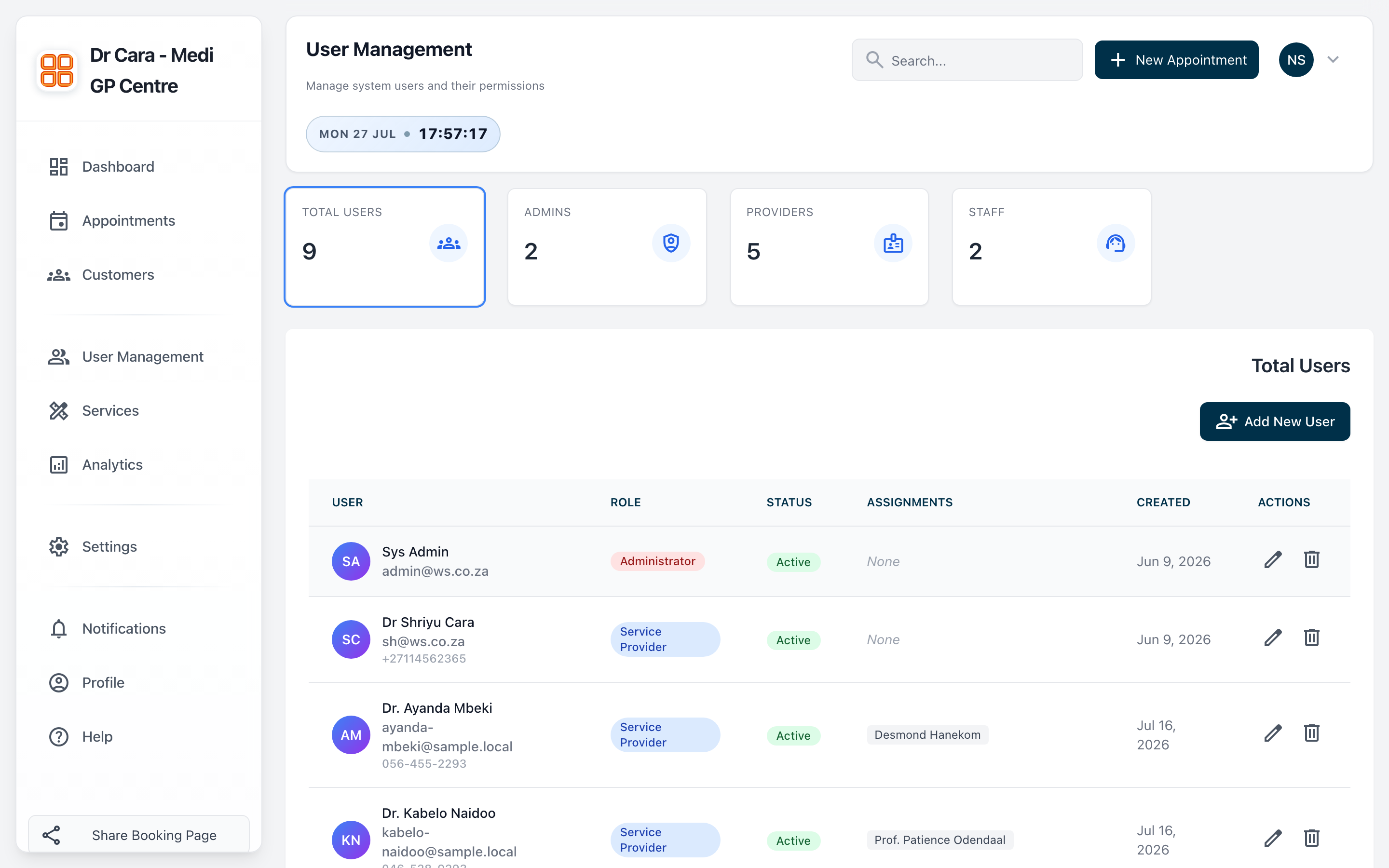
Roles for everyone on the team
Admins, providers and staff each get the access they need. Add team members, assign roles and manage permissions in one place.
- Admin, provider and staff roles
- Staff to provider assignments
- Role based access throughout the app