Deployment
Self-hosted control Run it on infrastructure you own.Self-hosted scheduling for service businesses
Make booking easy for customers and operations clear for the team behind it.
WebScheduler gives growing clinics, salons, consultancies, and multi-provider teams a cleaner way to publish booking pages, coordinate calendars, and keep customer history in one place without SaaS lock-in.
Prefer a code-first evaluation? Explore the GitHub repository.
- Branded booking pages and customer self-service portal
- Multi-provider scheduling with role-based access for admins, staff, and providers
- Self-hosted deployment, API access, and zero per-booking fees
Best Fit
Appointment-led SMBs Built for teams with real operational complexity.Stack
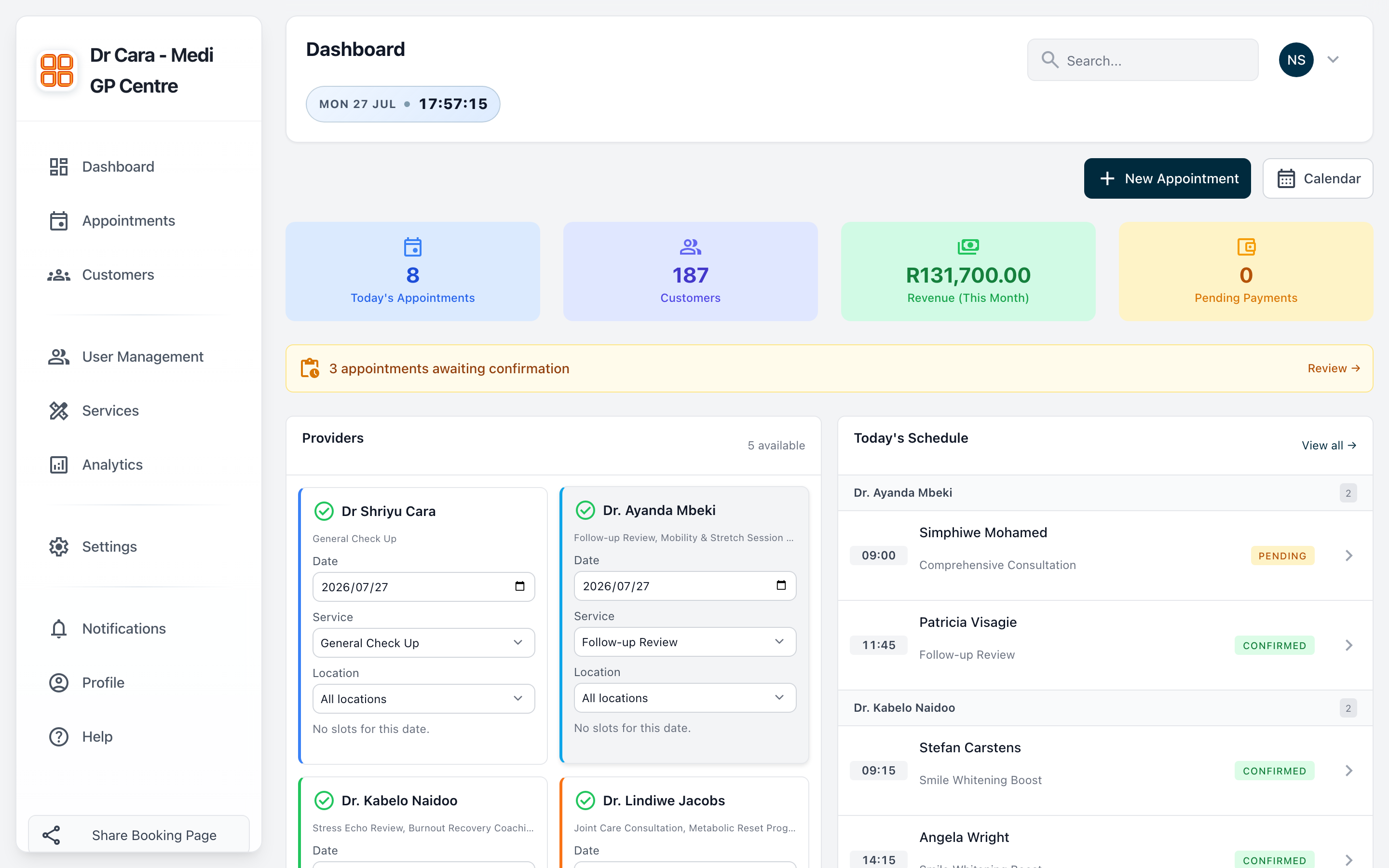
Open-source core PHP, CodeIgniter 4, MySQL, REST API.Illustrative dashboard preview showing provider bookings, revenue summary, and team activity.
Built for real teams
Designed for appointment-based businesses that need more than a basic calendar link.
WebScheduler is positioned for clinics, wellness teams, consultancies, and service businesses that need smoother booking, cleaner operations, and stronger deployment control.
Placeholder wordmarks are used here until approved customer logos are supplied.
Why teams switch
More than a booking link, without the overhead of enterprise software.
webscheduler is aimed at businesses that need better scheduling discipline, cleaner team workflows, and stronger deployment control than generic appointment tools usually offer.
01
Reduce booking friction
Customers move from service selection to confirmation in a short, branded flow instead of bouncing through a generic calendar widget.
02
Keep the front desk and providers aligned
Admins, staff, and providers each get the right operational view so reschedules, reminders, and customer follow-ups do not become manual chaos.
03
Own the stack and the customer relationship
Run the platform on infrastructure you control, extend it through the API, and avoid marketplace dependency or per-booking fees.
Activation path
How WebSchedulr takes a customer from discovery to repeat booking.
The journey is intentionally direct: publish a booking page, route demand to the right provider, and keep self-service available after the first appointment.
-
01
Publish a branded booking page
Show services, durations, and provider availability in a public flow customers can trust without forcing account creation first.
-
02
Coordinate the team in one workspace
Admins manage services and reporting, staff handle scheduling and changes, and providers stay focused on their own day.
-
03
Keep customers returning with self-service
Customers can see appointments, access history, and manage follow-ups through a portal instead of phoning your team every time.
Core product
Feature groups built around real scheduling work, not just a list of toggles.
The product story stays simple on the homepage: win the booking, run the day cleanly, and keep enough control to scale without replacing the stack later.
Acquire
Turn visits into booked appointments
Give potential customers a clear route from discovery to booking with pages designed around services, availability, and trust.
- Public booking pages by service and provider
- SEO-friendly structure for discoverability
- Fast customer path without account friction
Operate
Keep calendars, staff, and providers aligned
Run one schedule across multiple providers without losing sight of availability, notes, or customer history.
- Multi-provider calendars and availability control
- Role-based access for admins, staff, and providers
- Faster reschedules and fewer double bookings
Retain
Let customers self-serve after the first booking
Use the customer portal to reduce inbound operational questions and make repeat bookings easier.
- Portal access from booking reference links
- History, upcoming appointments, and self-service
- Cleaner repeat-booking experience
Control
Own deployment, reporting, and future flexibility
Stay in control of the environment, integrations, and roadmap rather than outgrowing a closed scheduling tool later.
- Self-hosted deployment on your own infrastructure
- Analytics dashboard for performance visibility
- REST API and open-source customization path
Team workflows
One platform, tuned for the people actually running the schedule.
The same business does not need the same interface for everyone. WebSchedulr keeps each role focused on the decisions that matter to them.
Admins
Set the rules, monitor performance, and keep locations consistent.
- Manage services, staff, providers, branding, and notifications from one place.
- See revenue, appointment volume, and utilization without asking the team to compile reports.
- Control access, configuration, and rollout decisions centrally.
Providers
Stay focused on the day instead of chasing the schedule.
- See your own appointments, availability, and customer context in one place.
- Handle updates quickly without losing sight of service notes or repeat visits.
- Review performance without needing a separate reporting export.
Staff
Handle front-desk scheduling without digging through multiple systems.
- Book, reschedule, and cancel across providers with real availability in view.
- Find customer records and booking history while speaking to them.
- Keep reminders and follow-ups moving when schedules shift.
Customers
Give customers a simpler path to book again without picking up the phone.
- Book through public pages without being forced into a full account flow first.
- Access a portal link for upcoming appointments and booking history.
- Return faster because their context and preferences already exist.
Product story
Three views that matter most during evaluation.
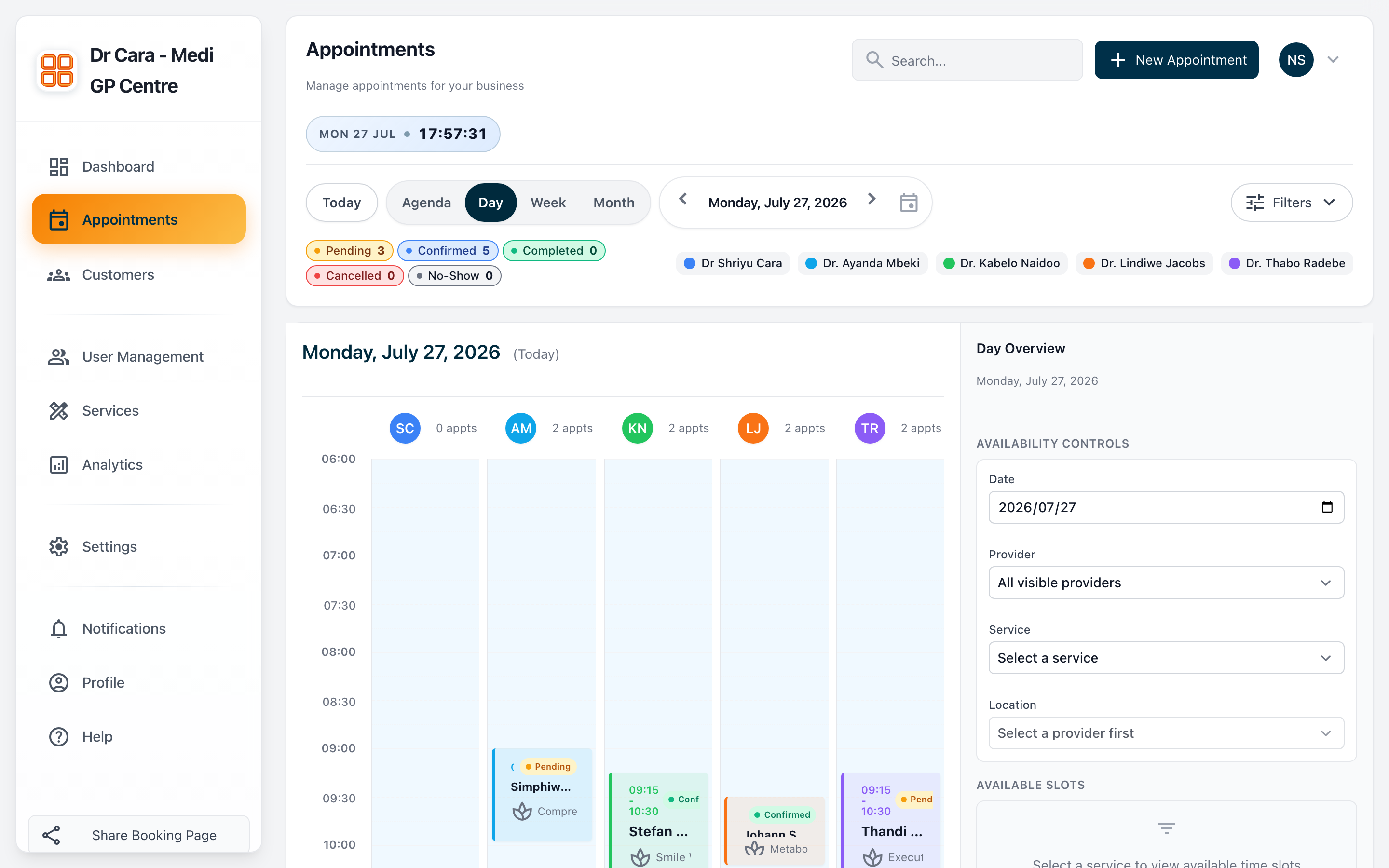
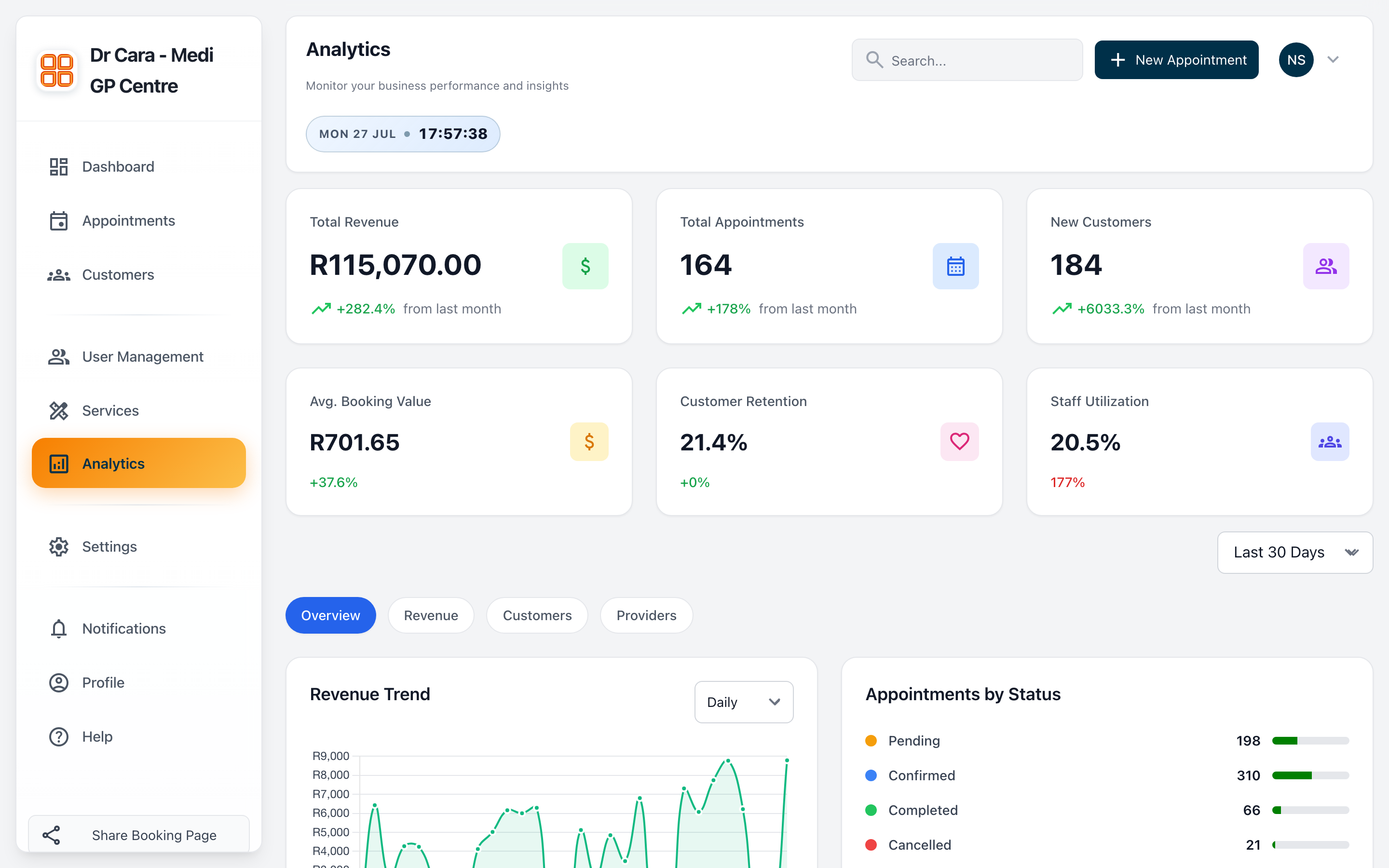
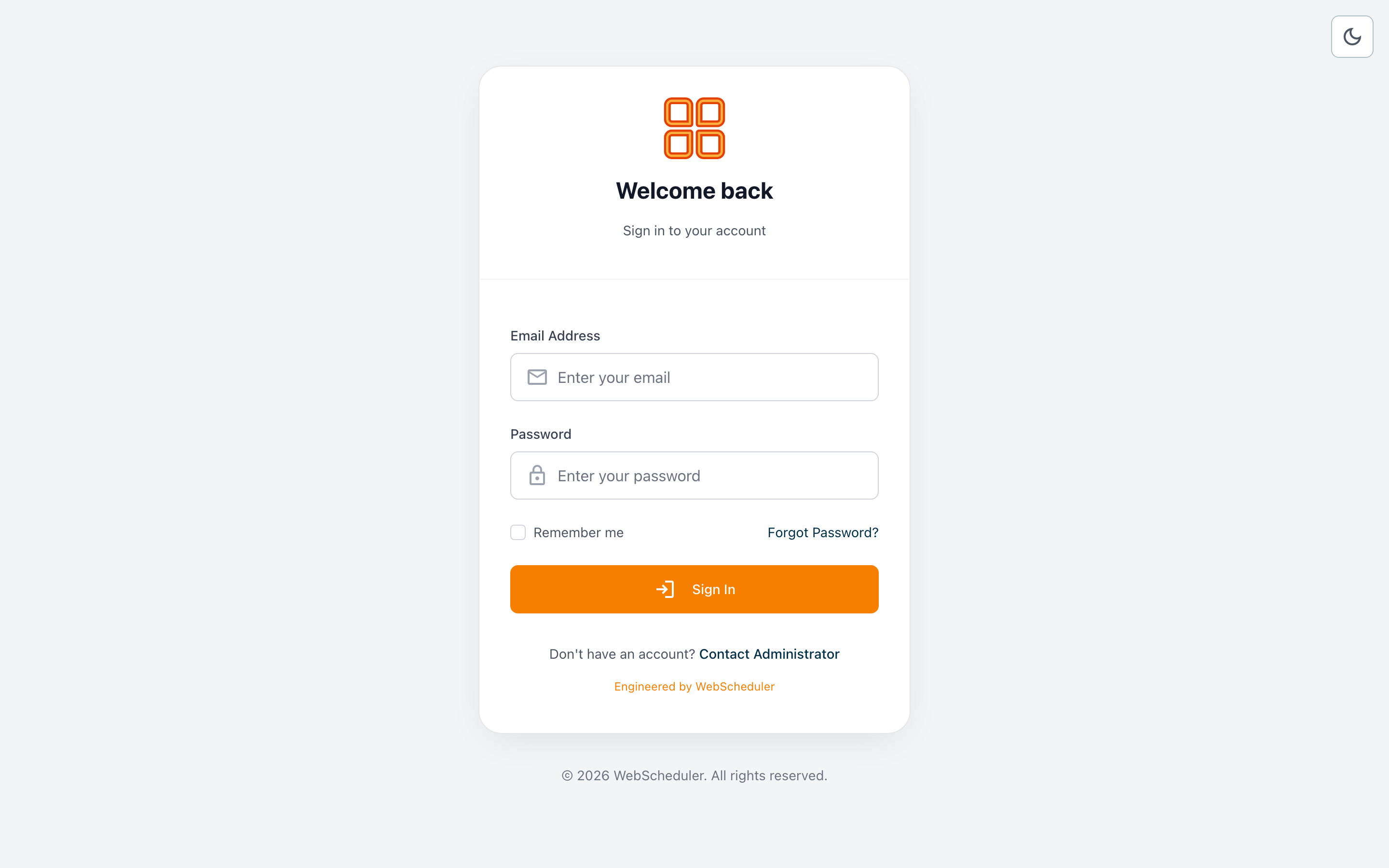
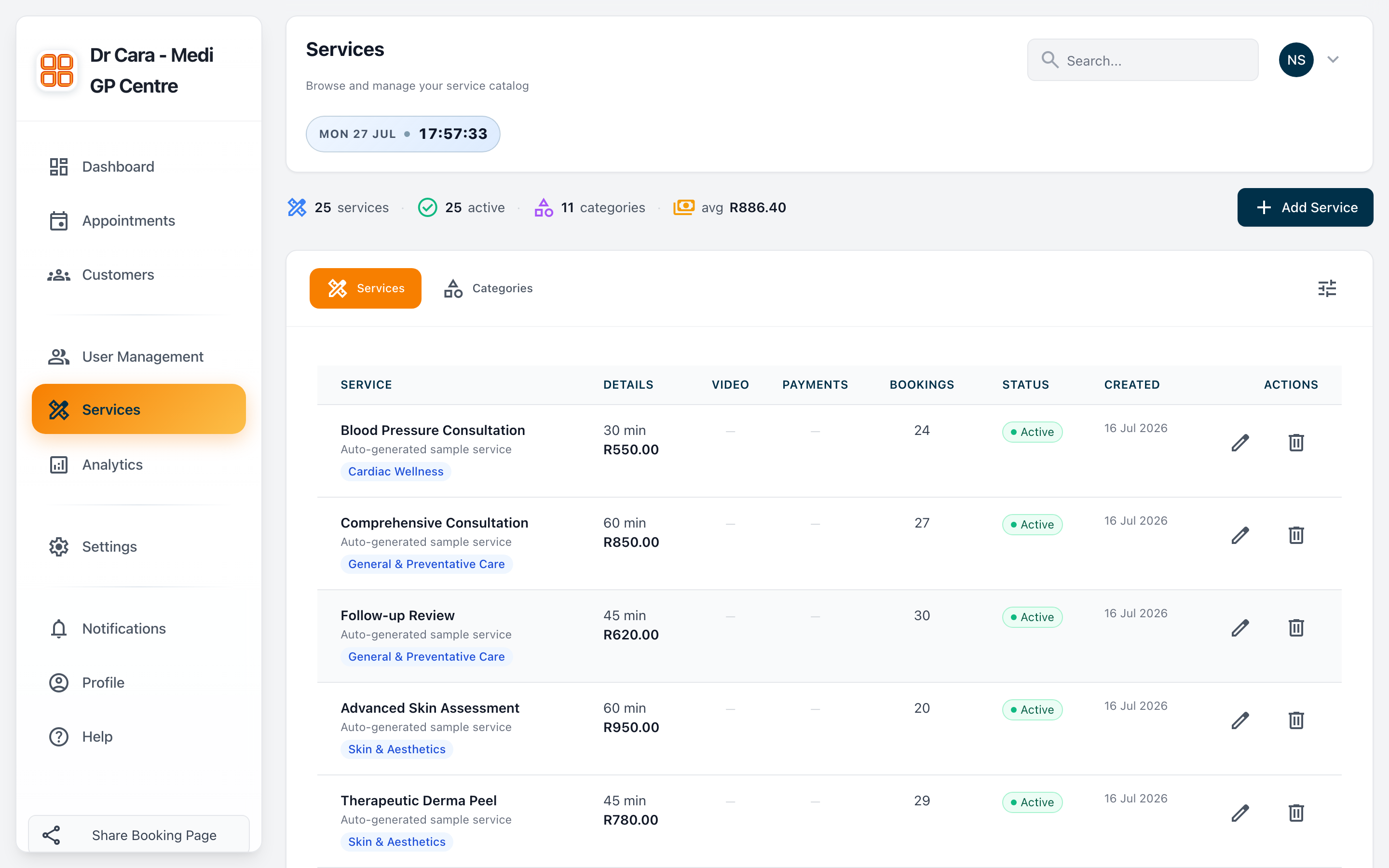
These product frames keep the homepage anchored in how WebSchedulr actually feels to use: customer booking, team scheduling, and operational reporting.
Public booking that feels trustworthy
Customers can move from service selection to appointment confirmation through a branded, low-friction flow that is easier to trust than a generic widget.
Scheduling that keeps the team in sync
Providers, staff, and admins work from the same scheduling truth so availability, reschedules, and follow-ups stay coordinated.
Reporting without spreadsheet cleanup
Revenue, appointment volume, and utilization are visible inside the product, so leadership decisions do not depend on manual exports.
Pricing
Three ways to start, depending on how hands-on your team wants to be.
The pricing story is intentionally simple for v1: evaluate the product yourself, buy launch help, or bring us in for a larger rollout.
Technical teams
Open Source
R160/ monthly
Best for teams that want to self-host, configure the stack directly, and evaluate the product hands-on.
- MIT licensed source code
- Unlimited providers and appointments
- Public booking pages, portal, and API
Most direct path
Guided Setup
R320/ monthly
For businesses that want the product live faster with help on infrastructure, branding, and launch decisions.
- Installation and deployment guidance
- Branding and notification setup
- Launch checklist and training handoff
Larger operations
Custom Rollout
Custom
For multi-location teams or businesses that need integrations, migration support, or deeper product adaptation.
- Custom deployment planning
- Integration and workflow scoping
- Priority implementation support
FAQ
Common questions buyers ask before they commit.
The first objections are usually around hosting, team fit, setup effort, and whether customers need accounts. This section answers those early.
Is WebSchedulr self-hosted?
Yes. The product is designed to run on infrastructure you control, which is a core part of its positioning and flexibility.
Can customers book without creating a full account?
Yes. Public booking pages are part of the primary product story, and customer self-service can continue through portal links after the first booking.
Does it work for teams, not just solo operators?
Yes. The homepage is structured around admins, providers, staff, and customers because the product is intended for real multi-role scheduling operations.
Can we get help with setup?
Yes. Guided setup and custom rollout options are part of the positioning, so non-technical or time-constrained teams have a clear next step.
Can the product be customized or integrated?
Yes. The self-hosted model and REST API make it possible to adapt workflows, extend functionality, and connect to other systems over time.
Next step
Request a demo and get the rollout checklist.
Keep the next step short: share your workflow, request a demo, and get a practical rollout checklist for your team.
- Use the demo request to talk through business fit, setup path, and rollout scope.
- The checklist gives your team a concrete implementation outline for launch.
- Requests open in your default email client so the follow-up stays direct.